★ Best GST Billing Software in Kolkata • Free Demo Available • Inventory Management • Barcode Billing • POS Software • WhatsApp Invoice • Cloud Backup • Call Now: +91 98765 43210 ★ Best GST Billing Software in Kolkata • Free Demo Available • Inventory Management • Barcode Billing • POS Software • WhatsApp Invoice • Cloud Backup • Call Now: +91 98765 43210
Billing Software Kolkata

Free vs Paid Billing Software

Home Free vs Paid Billing Software
Free vs Paid Billing Software Guide

Free vs Paid Billing Software

Businesses often compare Free Billing Software with Paid Billing Software when choosing a solution for everyday invoicing and business management. While free software can appear attractive because of its low initial cost, paid solutions may provide additional features, security, backup, updates and support. This guide explains the key differences and helps businesses understand which billing software may be more suitable for long-term use.

01

Security Matters When Choosing Billing Software

Billing software stores important business information such as customer details, invoices, sales records and product information. Security should therefore be an important consideration when comparing Free Billing Software and Paid Billing Software.

Free solutions may provide basic billing functionality, but the available security controls can vary significantly between providers. Businesses should understand how their information is stored, who can access it and what security features are included before using any billing platform.

Data Protection

Check how customer, invoice and business data is protected by the software provider.

User Access

Review whether the software provides suitable controls for users and business access.

Business Records

Important billing and customer records should be handled through appropriate security practices.

Provider Practices

Understand the provider's approach to account and data security before choosing a solution.

02

Backup Can Protect Important Business Records

Losing invoices, customer information or sales records can create serious difficulties for a business. When comparing Free Billing Software and paid solutions, businesses should check whether automatic backup or other data recovery options are available.

Backup availability depends on the software provider and selected plan. Businesses should understand how frequently data is backed up, where backups are maintained and what recovery options are available if information is accidentally deleted or becomes unavailable.

Cloud Backup

Check whether business information can be backed up through supported cloud services.

Data Recovery

Review whether suitable recovery options are available when records are lost or deleted.

Data Protection

Understand how important billing and customer records are preserved.

Backup Frequency

Check how frequently backups are performed and what the selected plan includes.

03

Regular Software Updates Keep Billing Systems Current

Business software needs regular improvements to remain reliable and compatible with changing technology and business requirements. When evaluating Paid Billing Software, businesses should check how software updates are delivered and what is included with the selected plan.

Free software may also receive updates, but the frequency, features and level of ongoing development can vary by provider. Businesses should therefore compare the update policy instead of assuming that free or paid software automatically provides the same level of maintenance.

Keep Your Billing System Updated

Review whether updates, improvements, bug fixes and relevant product enhancements are included with the billing software you choose.

04

Customer Support Can Make Billing Software Easier to Use

Even simple billing software can require assistance during setup, configuration, troubleshooting or everyday use. Support is therefore an important factor when comparing Free Billing Software with paid solutions.

Free software may provide community documentation, basic guides or limited assistance, while paid plans may include dedicated support depending on the provider. Businesses should review the actual support terms before making a decision.

Setup and onboarding assistance
User guidance and documentation
Technical troubleshooting
Product-related assistance
Support for everyday usage
Assistance with software adoption
05

Free Billing Software vs Paid Billing Software

Both free and paid billing software can be useful depending on the size and requirements of a business. The important difference is often the level of functionality, support, security, backup and ongoing service provided by the software provider.

Consideration Free Billing Software Paid Billing Software
Initial Cost Usually free or limited-cost access Requires a subscription or purchase
Features May provide basic billing features May offer broader business features
Security Depends on the provider and software Depends on the provider and selected plan
Backup May be limited or unavailable May include supported backup options
Updates Depends on the software provider Often included according to the service plan
Customer Support May provide limited support or documentation May provide dedicated support depending on plan
Scalability May become limited as business requirements grow Can provide additional features through paid plans
Long-Term Value Useful for simple or limited requirements Can provide broader functionality and support

Note: Features, security, backup, updates, support and pricing vary between providers and plans. Businesses should verify the current specifications of the software before choosing a solution.

06

Free Does Not Always Mean Lower Long-Term Cost

The biggest advantage of free billing software is the absence of an initial software fee. However, businesses should also consider the long-term value of the solution. Missing features, limited support, manual backups or the need for additional tools can increase the actual cost of using a free platform.

Paid billing software may require a recurring investment, but it can provide access to additional features and services that reduce the need for separate tools. The right choice depends on how much functionality and support the business requires.

Software Cost

Compare the initial price and recurring subscription charges of each solution.

Additional Tools

Consider whether extra software is needed for inventory, reports, backup or customer management.

Time & Effort

Consider the time required for manual work, setup, maintenance and troubleshooting.

Compare the total value of the solution rather than focusing only on whether the software has an upfront price.

07

Why Consider Star CRM as a Paid Billing Solution?

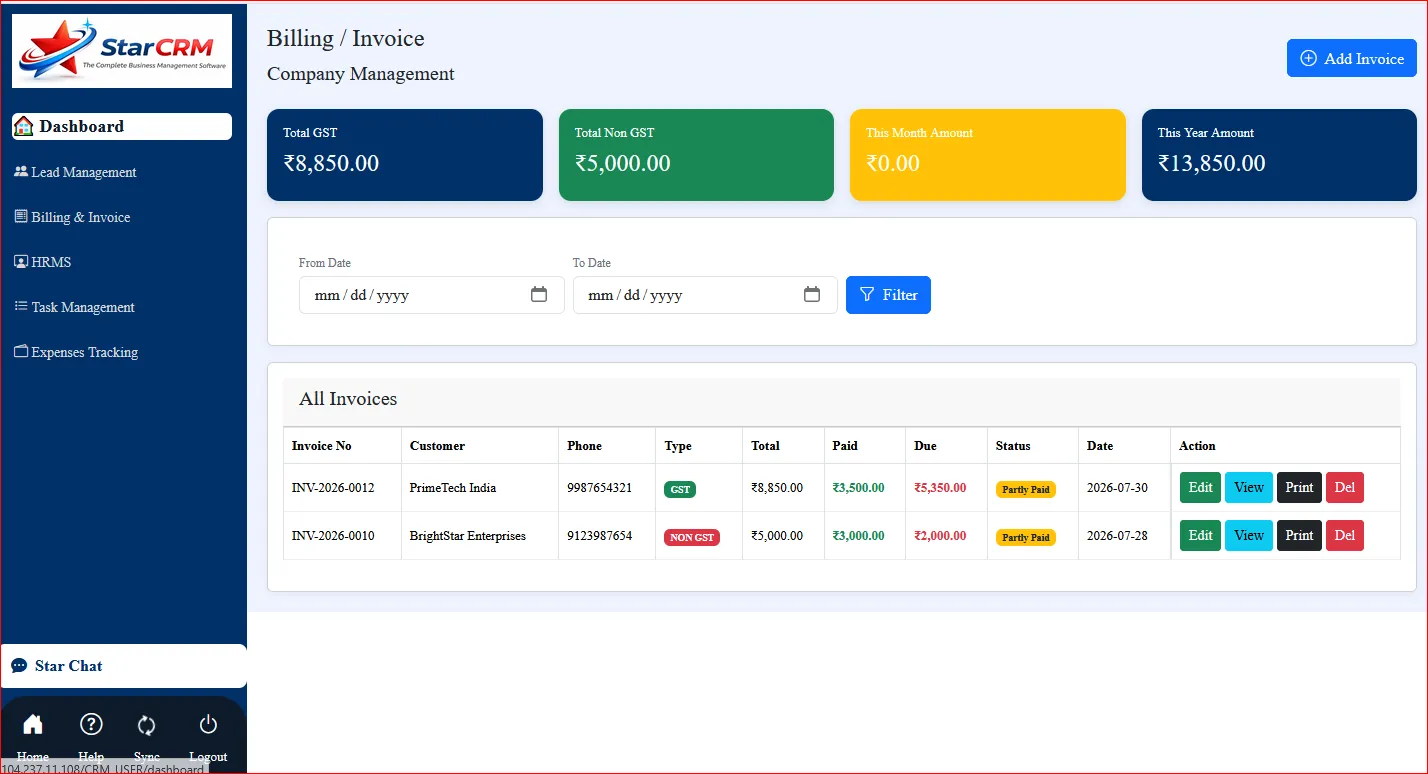
Star CRM is designed to combine billing and business management activities within one practical platform. Businesses evaluating Paid Billing Software can consider whether the available features and services match their operational requirements.

Instead of using separate tools for billing, customer management, inventory, sales and reports, businesses may prefer a connected platform that brings these activities together.

GST billing and invoice management
Customer management
Inventory management
Sales tracking
Business reports
Integrated business management

The right paid billing solution should provide useful features, reliable service and support that justify its cost based on your business requirements.

08

Which Billing Software Is Better for Your Business?

There is no universal answer to the question Which Billing Software is Better. The right option depends on the size of the business, number of users, required features, budget and expected future growth.

Free billing software may be suitable for businesses with simple requirements that only need basic invoicing. Paid billing software can be a better choice when a business needs broader functionality, regular updates, backup options, customer support and a system that can grow with its operations.

Choose Free When

Your business has simple billing requirements and the available free features are sufficient.

Choose Paid When

Your business needs broader features, support, backup and ongoing software services.

09

What to Check Before Choosing Billing Software

Before selecting either free or paid billing software, businesses should create a checklist based on their actual requirements. This makes it easier to compare solutions objectively and avoid choosing software simply because it appears cheaper.

Security

Check how business and customer information is protected.

Backup

Confirm whether suitable backup and recovery options are available.

Updates

Review how software updates and improvements are provided.

Support

Check available support channels and service terms.

10

Free vs Paid Billing Software: Make the Right Choice

Free Billing Software can be useful for businesses that need only basic billing functionality and want to minimize their initial software costs. However, businesses should carefully check security, backup, updates, support and feature limitations before relying on a free solution for important business operations.

Paid Billing Software can provide broader functionality and ongoing services depending on the provider and selected plan. For businesses that require reliable support, regular improvements, backup options and connected business management features, a paid solution may offer stronger long-term value.

Star CRM can be considered by businesses looking for a practical billing and business management platform with features such as GST billing, customer management, inventory, sales tracking and business reports. The best choice ultimately depends on your business requirements, budget and expected growth.

Free Demo

See Our Billing Software in Action

Chat With Us